Conference Room AV Checklist for an Orange County Office
Most disappointing meeting rooms fail on sound and network rather than screen size, so check the room itself before you choose a single piece of hardware.
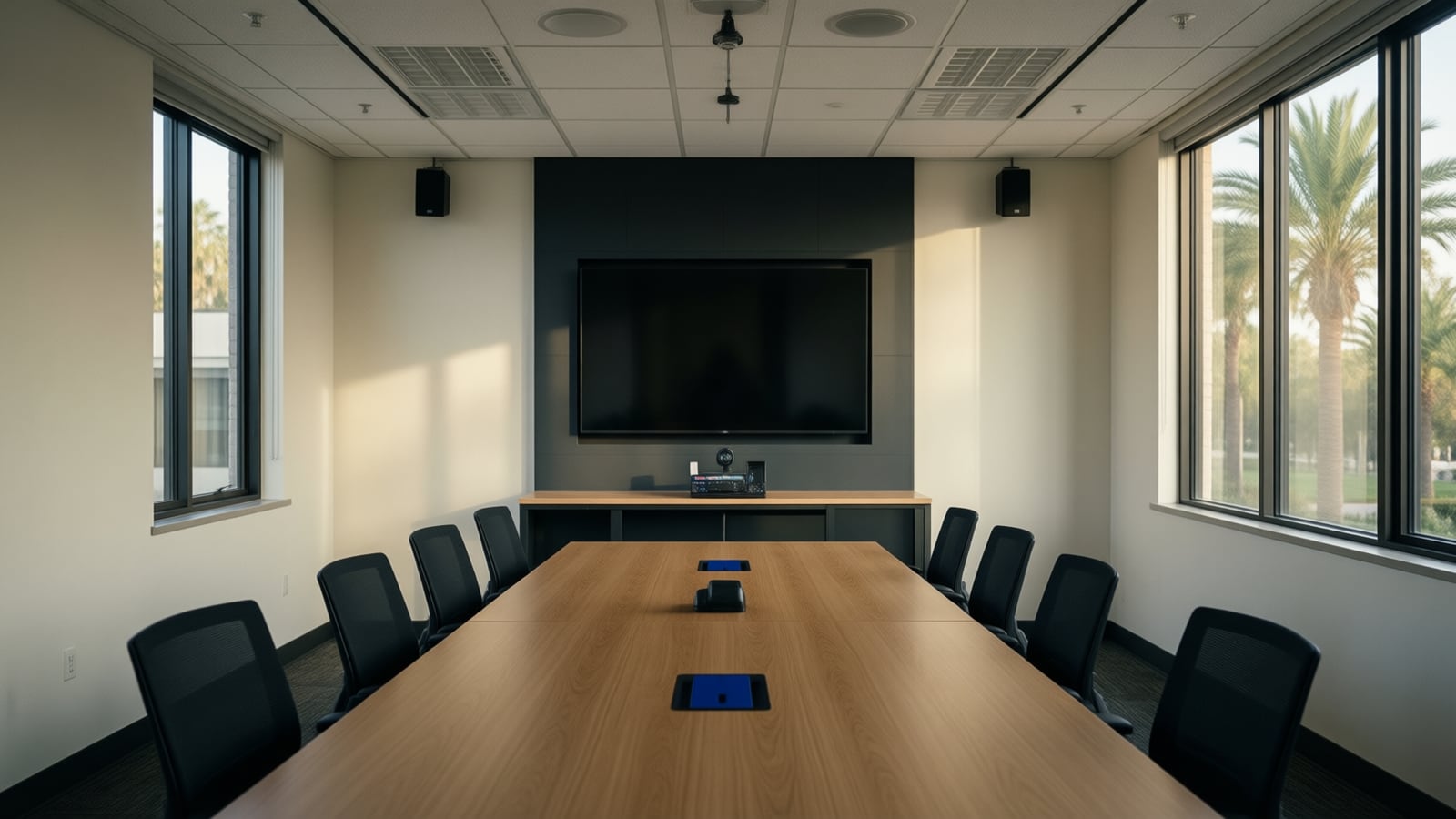
A conference room works when remote attendees can hear every person clearly, see who is speaking and read what is shared, and when anyone can start a meeting with one touch. This checklist covers room size, cameras, microphones, display sizing, network, acoustics, platform certification and the questions to ask an integrator before an Orange County office buys anything.
What should you know about the room before choosing equipment?
Video conferencing room: a meeting space with a dedicated, permanently installed system (camera, microphones, speakers, displays, a touch controller and compute) that joins online meetings on one or more platforms without anyone plugging in a laptop.
Start with an inventory, not a catalog. Microsoft's Teams Rooms planning guidance begins with exactly this step: record each room's size, layout and purpose, then decide what you want it to do. The same page tells planners to check that chairs cannot block the camera, that the room has no excessive echo or noisy air conditioning, and that there is enough power for the screens and the room system.
That last point matters more in Southern California than people expect. Many Irvine and Costa Mesa offices are open-plan suites with glass-fronted rooms, exposed ceilings and supply vents placed for cooling, not for quiet. A room can look finished and still sound like a stairwell on a call.
For each room, write down:
- The usable dimensions and ceiling height.
- How many people normally sit in it, and how many squeeze in on a busy day.
- What the room is for: quick huddles, client presentations, training, board meetings or detailed review work.
- Wall and window materials, and where the air vents are.
- Where power, network drops and any existing cable paths are.
- Which meeting platform the company uses most, and which platforms clients invite you to.
Which room size needs which equipment?
Both major platforms publish sizing guidance. Microsoft's planning template uses four room types, from a focus room of about 10' by 9' for two to four people up to a large room of about 15' by 32' for twelve to sixteen people (Microsoft Learn). Zoom's meeting spaces guide uses similar categories and suggests the class of equipment for each. The table combines the two as a starting point, not a specification.
| Room type | Typical seats | Camera | Audio | Displays |
|---|---|---|---|---|
| Focus room or booth | 1 to 4 | All-in-one video bar with auto framing | Built into the bar | One display |
| Huddle or small room | 4 to 6 | Video bar with stronger microphone pickup | Bar, sometimes an added table microphone | One display, two if content matters |
| Medium room | 6 to 12 | PTZ camera or a bar with speaker tracking | Dedicated table or ceiling microphones, external speakers | One or two displays |
| Large or boardroom | 12 to 16 or more | One or more PTZ cameras | Ceiling or table microphones with a DSP, larger speakers | Two displays, sometimes three |
Two judgment calls come up in almost every project. First, a long narrow table often defeats a single camera at the front of the room, because the people nearest the display appear huge and the far end becomes a row of small heads. Second, a video bar's built-in microphones have a practical reach; past that, add microphones on the table or ceiling rather than asking people to lean in.
How should you choose cameras and microphones?
Audio carries the meeting. A remote participant can follow a conversation with a frozen picture but not with muffled or clipped sound. Microsoft's own bandwidth guidance for Teams Rooms reflects the same priority: when the network is short of capacity, Teams keeps audio first, then shared content, and drops participant video last.
A practical order of decisions:
- Map where people actually sit and speak, including a presenter at the front of the room if that happens.
- Choose microphone coverage for those positions. Small rooms can rely on the video bar. Medium and large rooms usually need table or ceiling microphones and a processor that cancels echo and blends them.
- Choose the camera for the seating shape. Auto-framing bars suit small rooms. Larger rooms benefit from a PTZ camera or a multi-camera system that frames whoever is talking.
- Check the AI features you plan to use. Speaker framing, name labels, live transcription and meeting summaries all depend on clean audio and a clear view of faces, and some require specific certified cameras.
- Place speakers so remote voices come from the front, near the display, so people look toward the camera when they reply.
If the room will feed AI meeting notes, plan the microphones for that from the start. Transcription quality falls quickly when voices are distant or reverberant, and no software setting fixes a room that captures mostly echo.
How big should the display be?
Size the display from the farthest seat, and from what people need to read there. AVIXA, the audiovisual industry association, publishes a display sizing standard (known as DISCAS) that separates two kinds of viewing: basic decision making, where viewers need to recognize what is shown, and analytical decision making, where they must read fine detail. Analytical work, such as reviewing spreadsheets, drawings or code, needs a substantially larger image for the same seat.
In practice that means:
- Measure the distance from the screen to the farthest chair, not the middle of the room.
- Decide whether the room is for faces and slides, or for detailed review.
- In rooms where people will view remote faces and shared content at the same time, two displays usually beat one very large one.
- Mount the display so the camera sits close to eye line, either directly above or below the screen.
What does the network need to support a meeting room?
This is where many otherwise good rooms fail. Microsoft recommends, as of October 2026, a connection with 10 Mbps up and down per Teams Room and strongly recommends a wired connection over Wi-Fi. Its QoS article notes that even with that headroom, a room typically uses only part of it during a meeting and adjusts when the link cannot sustain more (Microsoft Learn).
Network items to settle before installation day:
- A wired drop for the room system and for any touch panel or room scheduler outside the door. If the cabling is old or the room is new, plan structured cabling with the furniture layout in hand.
- A segment for voice and video, with quality of service markings honored by the switches and firewall, so a large file upload elsewhere in the office does not break up a client call. Our managed networking service covers this design work.
- Firewall and proxy rules. Microsoft lists the destinations the device must reach and warns that Teams Rooms does not support proxy authentication, so rooms usually need an exemption.
- Internet capacity with a backup path. Add up the rooms that could be in meetings at once, then check the office circuit. A second line with automatic failover keeps meetings running when one carrier has a problem. See business connectivity for how we approach this.
- Power over Ethernet budget, if cameras, panels or microphones draw power from the switch.
Teams, Zoom or both: does platform certification matter?
Certification matters because it decides who supports the room. A certified Teams or Zoom system is tested by the platform vendor, receives managed updates and starts a meeting from the calendar with one touch. A laptop on a television depends on whoever brought the laptop that day.
Choose the native platform your company uses for most internal meetings. Both Microsoft and Zoom offer ways for a room to join the other platform's meetings as a guest, usually with fewer features. We compare the two in detail in Microsoft Teams Rooms vs Zoom Rooms, including licensing and the hardware families we install, such as Yealink and Polycom.
Also confirm early how the room will be licensed and managed. Microsoft's planning guidance says every Teams Rooms device needs a room license, and it asks organizations to decide up front who will monitor the rooms, apply updates and handle help desk calls.
What should you ask an AV integrator before you sign?
A good proposal answers these questions in writing:
- Who designed the microphone coverage, and how will it be tested in the finished room?
- Which certified systems are proposed for each room type, and why those?
- What network, cabling and power work is required, and who does it?
- Is acoustic treatment recommended, and if not, why not?
- How will the rooms be monitored and updated after handover?
- Who answers the phone when a meeting will not start at 8 a.m., and how quickly?
- What training and quick-start guides do staff receive on day one?
Watch for proposals that list hardware without a room-by-room drawing, skip the network entirely or treat support as optional.
Key takeaways
- Inventory each room's size, purpose, materials, power and network before choosing hardware.
- Audio decides whether a meeting works; plan microphone coverage before the camera and display.
- Size the display from the farthest seat and from what people need to read.
- Wire the room system, segment voice and video traffic and check internet capacity for every room in use at once.
- Choose certified systems on the platform your company uses most, and agree who manages them.
- Ask integrators for a room-by-room design, a network plan and a written support commitment.
How Telxpress helps
Telxpress designs, installs and supports conference rooms for businesses across Orange County, together with the cabling, network and internet connections underneath them. We start with a walk-through of each room, recommend certified systems for the platform you already use and verify the audio before handover, with 24/7 support afterward. See our audio visual and conference room services, or begin with the AI readiness assessment if you also want those rooms to produce AI meeting notes.
Questions
Questions this article answers
What is the most common mistake in a conference room AV project?
Buying the screen and camera first and treating sound as an afterthought. Remote participants judge a meeting by what they hear. Hard walls, glass and a loud air handler defeat even good microphones, so assess the acoustics and microphone coverage early and size the display last, from the distance of the farthest seat.
Do we need a certified Teams or Zoom room system?
If your company meets on one platform, a certified system is the safer choice. Certified hardware is tested with that platform, gets managed updates and joins meetings with one touch. A laptop connected to a television can work for occasional calls, but it depends on whoever brings the laptop and rarely gives the room good audio.
Can a conference room system run on Wi-Fi?
It can, but wired is the better choice. Microsoft strongly recommends a wired connection for Teams Rooms and lists careful wireless practices for rooms where a cable is impossible. A wired drop also lets the network team place the room on a voice and video segment with quality of service, which a crowded wireless channel cannot promise.
How big should the display be?
Size it from the farthest viewer rather than from a rule of thumb. The AVIXA display sizing standard ties the minimum image size to viewing distance and to what people need to read. A room used to review spreadsheets or drawings needs a larger image than a room used mainly to see faces and slides.
What should we ask an AV integrator before signing?
Ask who designs the audio coverage and how they will verify it, which certified systems they propose and why, what network changes the room needs, how the room is monitored and updated after installation, who answers when a meeting will not start, and how users will be trained on the first day.
Keep reading
Related articles
- Business Technology October 11, 2026
Business Internet in Irvine: Fiber vs Cable vs Fixed Wireless (2026)
How fiber, cable and fixed wireless differ for an Irvine office on symmetry, latency, resilience and lead time, how to check your building, and how failover keeps cloud voice up.
- Business Technology October 11, 2026
Microsoft Teams Rooms vs Zoom Rooms: Which Fits Your Office?
The platform your company already meets on usually decides the room system; here is how licensing, certified hardware, guest joining, management and AI features compare before you buy.
- Business Technology October 11, 2026
Nextiva vs RingCentral vs 8x8 for Small Business Phones (2026)
Three cloud phone platforms compared on plans, call features, Microsoft Teams and CRM integration, Yealink handsets, AI, contract terms and support, plus what an integrator adds.