Moving From an On-Premise PBX to Cloud VoIP: A Step-by-Step Migration Plan
Most failed phone migrations break on paperwork, network settings or a forgotten fax line, not on the new platform. Here is the order of work that avoids all three.
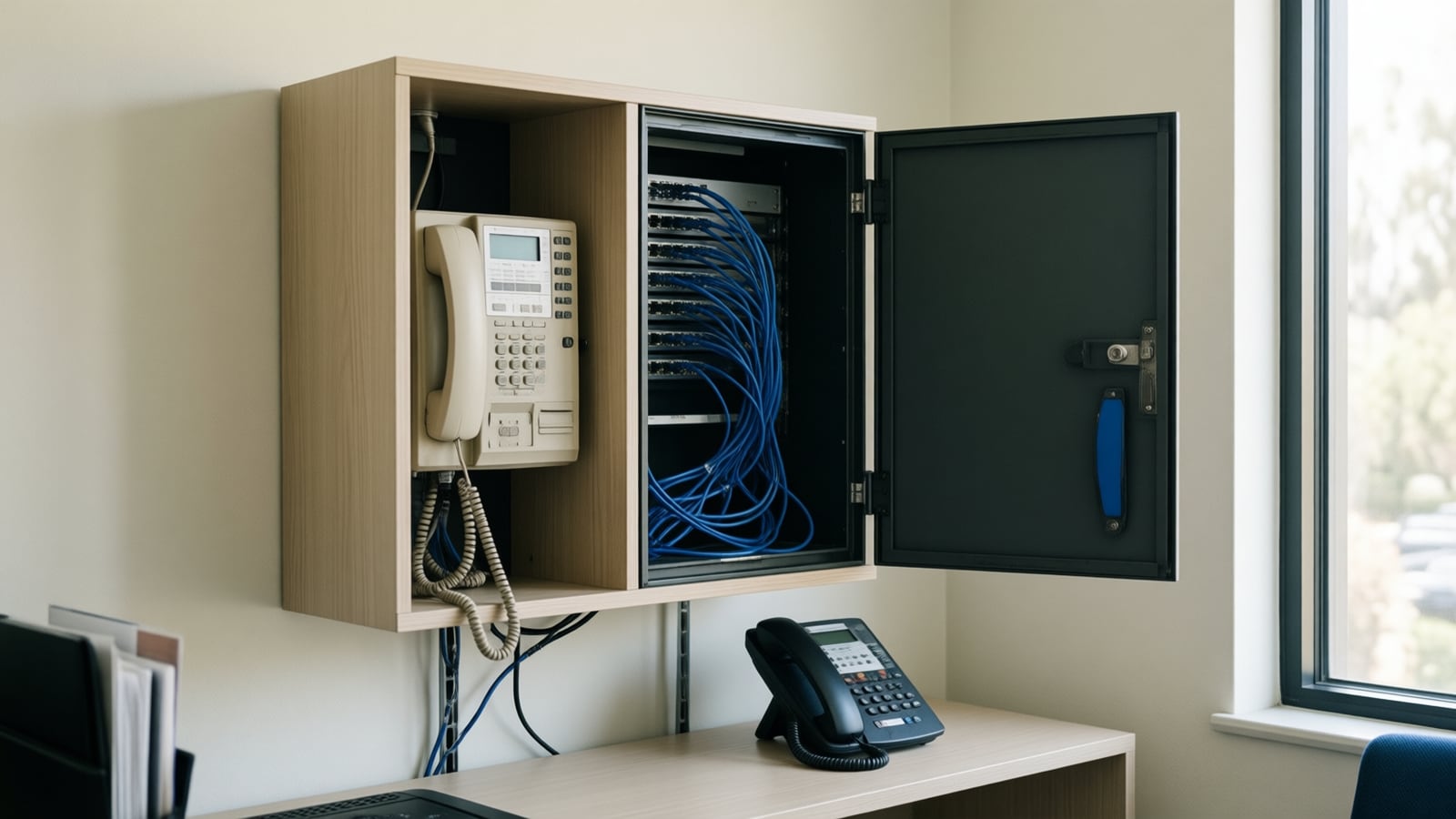
Moving from an on-premise PBX to cloud VoIP works best as a fixed sequence: inventory every line and device, make the network voice-ready, build and test the new system, port the numbers on a confirmed date, run both systems briefly, then cut over and train staff. Skipping the inventory or the network check causes most of the problems.
Why are businesses moving off on-premise PBX systems now?
Cloud VoIP: a phone system in which the call control that used to live in a PBX box in your server closet runs in a provider's data centers instead. Desk phones, softphones and mobile apps connect to it over the internet, and the provider maintains the software, the trunks and the redundancy.
The reasons, as of October 2026, are usually practical rather than strategic. The PBX is aging and parts or support are getting harder to find. The copper lines or PRI circuits feeding it are being retired or repriced by the carrier. Staff work from home part of the week and need their extension on a laptop or phone. Or the business wants call data in its CRM and an AI voice agent answering overflow calls, which is far easier on a cloud platform that exposes its call events.
None of those reasons require a rushed move. They do require a plan, because a phone system touches every customer conversation. A PBX migration that goes wrong is visible the same morning.
How do on-premise PBX and cloud VoIP compare?
| Factor | On-premise PBX | Cloud VoIP |
|---|---|---|
| Where call control runs | A box in your building | The provider's data centers |
| Outside lines | Copper, PRI or SIP trunks you buy | Included in the service |
| Software updates | Your vendor or IT team | The provider |
| Remote and mobile users | Extra hardware or licenses | Apps included in most plans |
| Power or internet outage | Phones may stay up on local power | Calls reroute to mobiles if configured |
| Cost structure | Upfront hardware plus maintenance | Monthly per user |
| Network dependency | Mostly internal | Internet quality matters on every call |
The last row is the one that decides whether a migration feels like an upgrade. Cloud voice moves the reliability question from the closet to your internet connection and your network settings.
What should we inventory before we start?
Write down everything that currently touches the phone system. The forgotten items are the ones that fail on cutover day.
- Every phone number, including main lines, direct dials, toll-free numbers, fax numbers and numbers that only forward somewhere.
- The carrier account details for each number: account number, port or transfer PIN, billing telephone number, company name on the account and the service address.
- Every device: desk phones by model, conference phones, cordless handsets, door entry phones, overhead paging and any analog devices.
- Special lines: fire alarm panels, elevator emergency phones, credit card terminals and fax machines. Many of these need an analog adapter, a cellular communicator or a separate line, and some have code or inspection requirements. Confirm with the alarm or elevator vendor before you move them.
- Call flows: who answers the main number, the auto attendant menu, ring groups, hunt order, after-hours routing and voicemail-to-email settings.
- Integrations: CRM click-to-call, call recording, contact center queues and anything that reads call logs.
Is our network ready for cloud voice?
Cloud calls are small but sensitive. Nextiva's networking guidelines budget about 100 kbps per call, recommend ping to its servers under 150 ms and jitter under roughly 15 to 20 ms, and treat 5G and satellite internet as unsupported because of packet loss. Most providers publish similar guidance; read the one for the platform you choose.
The same Nextiva guidelines call for three settings that commonly cause one-way audio and dropped calls when ignored: turn off SIP ALG on the router or firewall, avoid double NAT by keeping a single router in front of the network, and enable quality of service so voice gets priority. A firewall from Fortinet or Cisco Meraki handles all three, but only if someone configures them.
Two physical checks belong here as well:
- Power over Ethernet. New desk phones usually draw power from the network switch. Confirm the switches have enough PoE ports and power budget, or plan for new switches or power adapters.
- Cabling. Old PBX systems sometimes run on phone-grade wiring that will not carry Ethernet. Each desk needs a working data jack; our structured cabling team tests runs before phones arrive.
To size the connection itself, the VoIP bandwidth calculator estimates capacity from your peak number of simultaneous calls. If downtime would be costly, add a second circuit with automatic failover before cutover, not after.
How does number porting work?
Number porting is the step that moves your existing numbers from the old carrier to the new provider. It is mostly paperwork, and it is where most delays come from.
The FCC's small entity compliance guide on porting explains that the rules aim for simple ports to complete within one business day, and that this applies to ports involving interconnected VoIP as well as traditional carriers. "Simple" is the important word. Multi-line accounts, numbers on several bills and mismatched records are often handled as complex ports and take longer.
Nextiva's porting article describes what the new provider needs and how timing tends to run: the account number, port PIN, billing number, the company name on the account, the service address and the authorized signer, with a recent bill or customer service record strongly recommended. It describes a typical port as taking 5 to 10 business days, and up to 2 to 4 weeks when a request is rejected for discrepancies. It also notes that numbers used for business texting need separate 10DLC registration after porting.
A practical sequence:
- Request the customer service record from the current carrier so the port request matches its records exactly.
- Submit the letter of authorization through the new provider, signed by the person named on the account.
- Build the new system on temporary numbers while the request is pending.
- When the provider confirms a port date, assign each incoming number to its user, ring group or auto attendant in advance.
- On port day, test every number inbound and outbound.
- Only then cancel the old service in writing.
What about 911 on a cloud phone system?
Emergency calling is the item buyers most often assume the provider handles alone. The federal rules for multi-line telephone systems, 47 CFR 9.16, require that users can dial 911 directly without a prefix such as "9", that the system notifies someone at the facility when a 911 call is placed where the system can be configured to do so, and that the call carries a dispatchable location such as a street address plus suite or floor.
On a cloud system that means assigning an accurate E911 address to every phone and every site, deciding who receives the 911 notification (a front desk, an office manager's mobile), and making sure remote workers can update their location in the softphone. This is a rule summary, not legal advice; confirm your obligations with your attorney or compliance advisor.
How do we run the old and new systems in parallel?
Parallel running reduces risk without doubling the work. Keep the old PBX answering live calls while the new system is built and tested on temporary numbers. Let a small group, often the office manager and one department, use the new phones for internal and outbound calls for a few days. Fix what they find: a ring group in the wrong order, a voicemail greeting that still names a former employee, a conference phone that will not register.
Schedule the port for a quiet weekday morning with the installer on site. Keep the old system powered for a short period after cutover in case a missed number or device turns up, then decommission it.
How do we train staff so the change sticks?
Training is short but it matters. Cover the four things people do every day: answer, transfer, park or hold, and check voicemail. Then show the mobile and desktop apps, because that is where cloud systems differ most from the old PBX. A one-page quick reference at each desk, plus a named person to ask during the first week, prevents most support calls.
If you are replacing handsets at the same time, pick models your provider supports. Yealink and Polycom both make SIP desk phones that many cloud platforms certify, but support varies by model and firmware, so check the provider's device list before ordering.
Key takeaways
- Inventory every number, device and special line before choosing a cutover date.
- Fix network basics first: SIP ALG off, no double NAT, quality of service on, enough PoE.
- Porting delays usually come from mismatched records; pull the customer service record early.
- Assign every incoming number before the port date so calls land correctly the moment it completes.
- Set up 911 direct dialing, notification and accurate locations as part of the build, not afterwards.
- Do not cancel the old service until every number is tested on the new system.
How Telxpress helps
Telxpress plans and installs cloud phone migrations for Orange County businesses, from the line and device inventory to the network changes, porting, 911 setup, handset installation and staff training. We work with platforms such as Nextiva and install Yealink and Polycom handsets, and our local Irvine technicians support what we install. Start with our business phone systems page, or book a consultation and we will review your current PBX and carrier contracts before recommending a move.
Questions
Questions this article answers
Will our phones go down during a PBX to cloud VoIP migration?
They should not. Numbers move on a confirmed port date, and the new system is built and tested before that date. Callers keep reaching you on the old system until the moment the carrier switches routing. Planning the cutover for a quiet morning, with the installer on site, keeps any gap short and recoverable.
Can we keep our existing business phone numbers?
In most cases, yes. Federal number portability rules let a business keep its numbers when it changes providers in the same area, including moves to interconnected VoIP. The port request must match the current carrier's records exactly, so collect the account number, port PIN, billing number and service address before you start.
Can we reuse our existing desk phones?
Sometimes. Phones built for a proprietary PBX usually cannot register to a cloud platform, while open SIP phones often can if the provider supports that model and firmware. Check the provider's supported device list first. Replacing handsets is also the moment to check switch ports for Power over Ethernet.
Should we cancel our old phone service before the port completes?
No. Keep the old account active until every number has moved and you have tested inbound and outbound calls on each one. Cancelling early can release numbers before the port finishes, which is very hard to undo. Cancel in writing afterwards, and check the contract for any remaining term or equipment lease.
How long does a typical small office migration take?
Plan in weeks, not days. Inventory and network checks come first, then the build, then porting, which depends on the losing carrier approving the request. Simple ports can move quickly, but rejected requests add time. A small office with clean records and a ready network is usually the fastest case.
Keep reading
Related articles
- Business Technology October 22, 2026
SD-WAN for Small Business: When It Is Worth It and When It Is Not
A second internet line only helps if something decides, every second, which line your calls and video should use. That decision is what you are buying with SD-WAN.
- Business Technology October 19, 2026

Conference Room AV Checklist for an Orange County Office
Most disappointing meeting rooms fail on sound and network rather than screen size, so check the room itself before you choose a single piece of hardware.
- Business Technology October 11, 2026
Business Internet in Irvine: Fiber vs Cable vs Fixed Wireless (2026)
How fiber, cable and fixed wireless differ for an Irvine office on symmetry, latency, resilience and lead time, how to check your building, and how failover keeps cloud voice up.