On-Premise PBX vs Cloud Phone System: The Total Cost Over Five Years
A PBX quote and a cloud quote never list the same things, so the cheaper-looking one is often the one hiding its running costs in hours, lines and licenses.
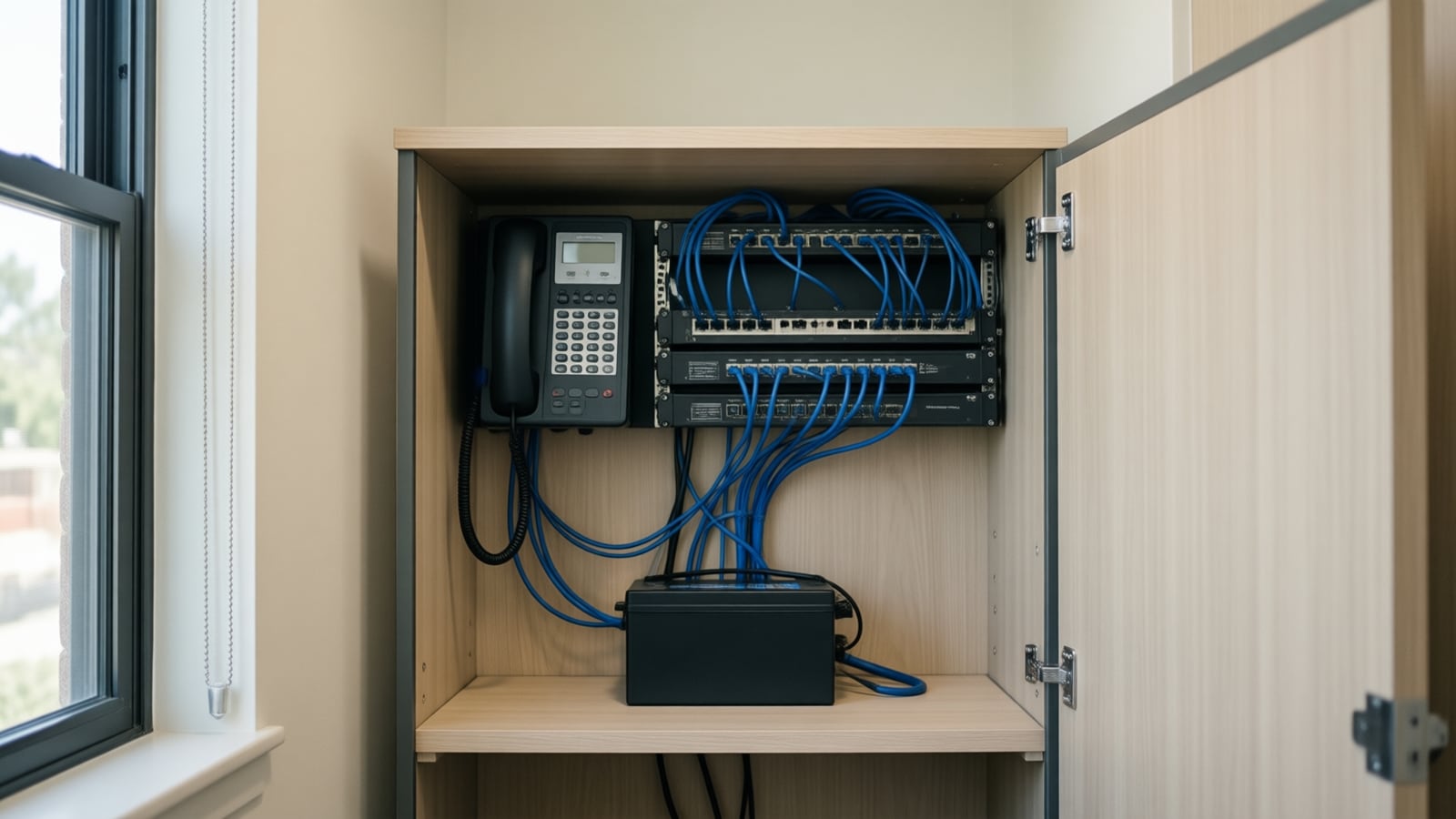
Over five years an on-premise PBX and a cloud phone system often cost a similar amount, but the money lands in different places: the PBX front-loads hardware and hides its running cost in lines, support and hours, while the cloud folds everything into a per-user fee. This guide lists every cost line on both sides so you can compare quotes honestly.
What does a business phone system actually cost over five years?
Total cost of ownership (TCO): the full cost of owning and running a system over a set period, here five years, including the purchase price, installation, licenses, carrier lines, maintenance, support, power, cabling, staff time, upgrades and the cost of replacing it at the end. For a phone system, the monthly fee or the box price is rarely more than half of it.
Most owners compare one number each: the capital quote for the PBX and the per-user monthly fee for the cloud service. Neither number is wrong, but neither is complete.
The honest comparison lays out the same five-year timeline on both sides, lists every line, and puts a zero where a quote genuinely has nothing. Our cloud phone vs PBX cost calculator does the arithmetic with your figures; this article explains what belongs in each line.
Which cost lines belong on the PBX side?
Hardware. The control unit or server, expansion cards for analog or digital ports, a voicemail module, licenses per extension, and the handsets, usually Yealink SIP phones or the manufacturer's own sets on a Yeastar or Avaya system. Budget for spares; a dead handset in year four may no longer be a stocked model.
Software licenses and plans. On-premise systems increasingly carry recurring software. Yeastar sells its P-Series Software Edition as a commercial subscription on an Enterprise or Ultimate plan, sized by extension and concurrent-call capacity, with a term from one to five years (Yeastar partner documentation). Avaya's IP Office support offer locks in patches and upgrades for the contract term, but only for systems on a current or one-back release (Avaya end-of-sale notice, June 2024). A PBX without a plan is not free to run; it is unsupported.
Outside lines. Every PBX needs a connection to the public phone network: analog lines, a PRI circuit or a SIP trunk. This monthly carrier bill sits outside the PBX quote and is the line most often forgotten. Count channels, not extensions, and include the gateway or trunk license the PBX needs to accept SIP.
Maintenance and support. The dealer's annual contract, or the hourly rate without one, plus the internal time: someone programs extensions, changes the holiday greeting, resets voicemail passwords and calls the dealer when the system locks up. Over five years those hours are real money.
End-of-support upgrades. Manufacturers retire software releases on a schedule. Avaya ended sales of IP Office release 11.1 and earlier on August 12, 2024 and ended manufacturer software support for them on August 12, 2025, with a paid upgrade to release 12 as the route to continued patches (Avaya end-of-sale notice). If the PBX you are quoted or already own is near that line, a paid upgrade belongs in the five-year total.
Power, cabling and the closet. A battery backup, a PoE switch for IP handsets, and cabling to every desk. The cloud option needs the same items, so put them on both sides.
Which cost lines belong on the cloud side?
The per-user fee. This is the number everyone knows, and it scales with headcount. Nextiva's small-business pricing page, as of November 2026, lists its NEXT Core, Engage and Scale plans at 15, 25 and 75 dollars per user per month, with a footnote that the pricing applies to new customers signing a twelve-month or longer agreement (Nextiva pricing). Monthly billing without a term costs more, a shared lobby phone may need its own license, and taxes and regulatory fees are added on top.
Handsets. Nextiva's pricing page states that desk phones work with every plan and are purchased separately (Nextiva pricing). Staff who live in a softphone or headset can skip the handset, a saving the PBX cannot match.
The internet connection and its backup. Every call rides your internet line. Nextiva's networking guidance plans around 100 kbps per VoIP call, wants every phone wired, and classes wireless ISPs such as 5G and satellite as unsupported for voice because of packet loss (Nextiva networking guidelines). If your circuit is a shared cable plan with no failover, the better line or second connection is a phone-system cost, even if it lands on the internet bill. Our VoIP bandwidth calculator sizes it from your concurrent calls.
PoE switches and cabling. IP handsets draw power from the switch. A Yealink SIP-T54W, common on either kind of system, is an IEEE 802.3af class 3 device drawing between 2.2 and 5.5 watts over PoE (Yealink T54W datasheet). Multiply by the handset count and check your switch's PoE budget before assuming it will do.
Add-ons and setup. Call recording, AI call summaries, analytics, toll-free minutes, SMS, fax and integrations are sometimes in the tier and sometimes separate. Price the tier that includes what you will use, then the next one up. Add a one-time implementation fee, number porting and the hours to build call flows and train staff.
How do the two options compare line by line?
| Cost line | On-premise PBX (Yeastar, Avaya) | Cloud phone system (Nextiva) |
|---|---|---|
| Upfront hardware | Control unit, cards, licenses, handsets | Handsets only, often optional |
| Recurring software | Annual plan or support contract, or none and unsupported | Included in the per-user fee |
| Outside lines | Separate carrier bill: analog, PRI or SIP trunk | Included |
| Maintenance | Dealer contract plus internal hours | Included; provider runs the platform |
| Upgrades | Paid when a release leaves support | Included, continuous |
| Internet dependence | Only if using a SIP trunk | Every call; backup circuit advised |
| PoE switch, cabling, UPS | Required for IP handsets | Required for IP handsets |
| Remote staff | Extra licenses or VPN work | Softphone app in the fee |
| AI and CRM integration | Limited, often an add-on module | Usually native or an add-on tier |
| End of life | Replace the whole system | Cancel or switch providers |
The table shows the shape of the decision, not the answer. A business with twelve desks, a paid-off PBX and a cheap SIP trunk can run for years on very little. One with forty users, half of them remote, will almost always find the cloud total lower once hours and upgrades are counted.
Why is copper retirement forcing the decision now?
Many on-premise systems in Orange County offices still reach the phone network over analog lines or a PRI circuit on copper. In March 2026 the FCC adopted a Report and Order that eliminates the filing requirements for carriers' copper retirement notices, grants blanket authority to grandfather legacy voice services and interconnected VoIP delivered over copper, applies a 31-day automatic grant period to applications to discontinue a service, and preempts conflicting state and local requirements; most of the rule took effect on May 20, 2026 (Federal Register, April 20, 2026).
For an owner the meaning is simple. The copper lines feeding the PBX are now on the carrier's timetable, not yours, and a replacement that counts under the new rule can be a facilities-based VoIP service or a mobile wireless service. When the notice arrives, a PBX owner either buys a SIP trunk and the gateway or license the PBX needs to accept it, or treats the forced change as the moment to move to the cloud. Either way, that cost belongs in the PBX's five-year total, because the lines it uses today are the ones being retired.
What do both quotes leave out?
Neither total captures everything that matters.
- Downtime. A PBX fails when its hardware or trunk fails; a cloud system fails when the internet drops. Price the backup each side needs.
- 911 compliance. Multi-line systems installed after February 16, 2020 must allow direct 911 dialing without a prefix, notify a central location and deliver a dispatchable location, on premises-based and VoIP systems alike (47 CFR 9.16, definitions in 47 CFR 9.3). On a PBX the configuration is yours; on a cloud system the provider supplies the tools and you supply the addresses.
- Growth and shrinkage. Cloud fees fall when you remove a user; a PBX card bought for twenty-four ports costs the same with ten in use.
- Integrations. CRM call logging and an AI voice agent answering overflow calls are far easier when the platform exposes its call events. On most on-premise systems that is a project.
- The migration itself. Porting, parallel running and training have a cost; see the PBX-to-cloud migration plan.
How do you compare quotes for a business cloud phone system and a PBX?
- Fix the period. Five years catches one PBX upgrade cycle and a few handset failures while the cloud fee is still roughly predictable.
- Inventory what you have. Extensions, concurrent calls at the busiest hour, remote staff, analog devices such as fax, alarm and elevator lines, and the closet's switch and cabling.
- Get both quotes in the same shape. Ask the PBX dealer for the support contract, trunk cost and upgrade path in writing. Ask the cloud provider for handset prices, taxes and fees, and the tier that includes the features you named.
- Add the shared items to both sides. PoE switch, UPS, cabling and internet are not a cloud penalty if the PBX also uses IP handsets and a SIP trunk.
- Enter the figures in the cost calculator. It adds upfront costs to sixty months of running costs on each side.
- Read what the totals ignore. Decide which of those items would change the answer for your business.
Key takeaways
- Compare five-year totals, not a box price against a monthly fee.
- A PBX hides its running cost in carrier lines, support contracts, hours and paid upgrades.
- A cloud phone system hides its running cost in handsets, taxes and fees, add-on tiers and the internet circuit it depends on.
- The 2026 copper retirement rules put the lines feeding an old PBX on the carrier's timetable, so a trunk or a move belongs in the PBX budget.
- Use your own figures in a calculator; no vendor's average matches your office.
How Telxpress helps
Telxpress installs and supports both options from Irvine: on-premise systems from Yeastar and Avaya with Yealink and Polycom handsets, and cloud phone systems from Nextiva, with the switches, cabling, internet and failover underneath. Bring both quotes to a free 30-minute review and we will put them on the same five-year timeline, check the line items against what your business phone system really needs, and tell you which costs less for your office, including when the answer is to keep what you have.
Questions
Questions this article answers
Is a cloud phone system for a small business always cheaper than keeping a PBX?
No. A paid-off PBX with low call volume, a working SIP trunk and a dealer who still supports it can be the cheaper option for several more years. Cloud wins when the PBX needs a paid upgrade, parts or support are running out, staff work remotely, or the business wants call data and AI features the old system cannot provide.
What costs does a PBX quote usually leave out?
The outside lines, which are billed separately by a carrier, the annual software assurance or support contract, the hours an IT person or dealer spends on moves and changes, the PoE switch and battery backup in the closet, and the eventual paid upgrade when the installed release leaves manufacturer support. Ask for each one in writing before you compare.
What costs does a cloud phone system quote usually leave out?
The desk phones, which most providers sell separately, the taxes and regulatory fees added to each user, the extra for toll-free or international calling, the internet circuit and backup connection the service depends on, the switch and cabling upgrades if the handsets need power over Ethernet, and any add-on fees for AI features or call recording.
How does copper retirement affect the five-year cost of a PBX?
The FCC's 2026 rules make it faster for carriers to retire copper and discontinue legacy voice service, so the analog or PRI lines feeding an old PBX may be repriced or withdrawn inside the five-year window. Budget for a SIP trunk and the gateway or license it needs, or treat the change as the moment to move to the cloud.
How should we compare the two quotes fairly?
Put both on the same five-year timeline. Add the upfront cost to sixty months of running cost on each side, including lines, support, hours and replacement handsets. Then list what each total leaves out, such as downtime, remote work and integrations. A calculator that uses your own figures beats any vendor's average.
Keep reading
Related articles
- Business Technology November 9, 2026
Dedicated Internet Access vs Business Broadband: Which Does Your Office Need?
Carriers sell both as business internet, but only one of them comes with bandwidth reserved for you and a contract that pays when the circuit fails.
- Business Technology November 5, 2026
SIP Trunking Explained: Channels, Pricing and When It Beats a Cloud Phone System
A SIP trunk keeps the phone system you own and swaps the copper lines underneath it for an internet connection, which is the right move for some offices and a detour for others.
- Business Technology October 26, 2026
Moving From an On-Premise PBX to Cloud VoIP: A Step-by-Step Migration Plan
Most failed phone migrations break on paperwork, network settings or a forgotten fax line, not on the new platform. Here is the order of work that avoids all three.